- Abid Alii
- 2026/11/24
- 0 Comments
- 0 Likes
Restaurants handle a steady stream of phone calls: takeaway orders, delivery requests, questions about menu items, updates on existing orders and general inquiries. During a busy service, asking every caller for their name and number can slow staff down and make it harder to keep conversations organized.
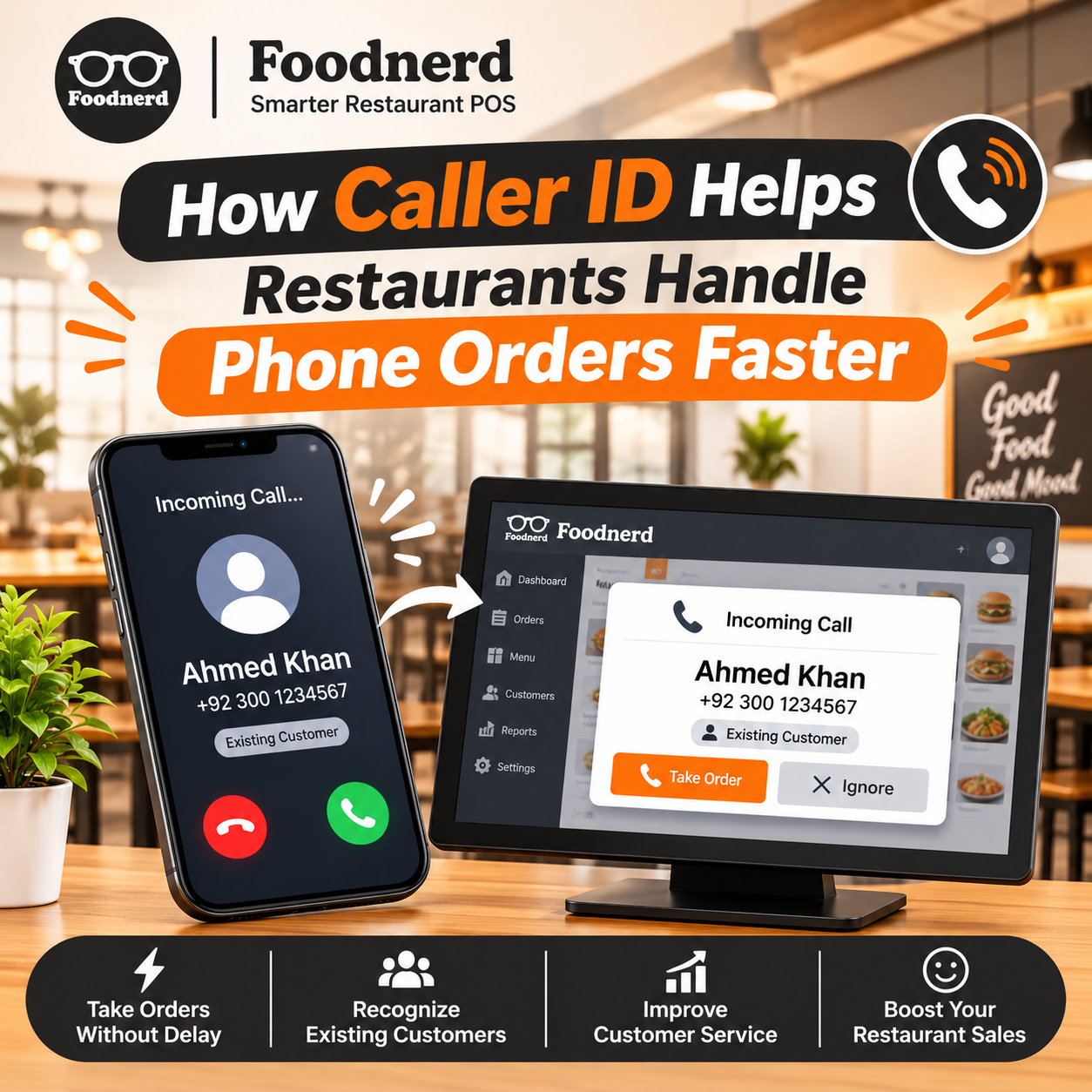
Foodnerd POS helps staff identify incoming callers by matching a phone number with a customer record. With a Restaurant POS with Caller ID, staff can see a caller prompt, check available customer details and, when relevant, review recent orders. They still take the order and handle the request themselves, using the restaurant’s usual POS workflow.
Why incoming calls matter to restaurant operations
A phone call can arrive while staff are greeting guests, entering orders or coordinating with the kitchen. If the caller is a returning customer, starting from scratch each time can add unnecessary steps. If they are asking about an existing order, staff need to identify the customer before they can look into the request.
Caller ID gives staff a useful starting point: the incoming number. When that number matches a Foodnerd customer record, the POS can show the customer’s name alongside the number. That can make restaurant phone order management more organized, especially during a rush.
What is Caller ID in a restaurant POS?
Caller ID is a way to see information about an incoming call on the POS screen. In Foodnerd POS’s Electron desktop workflow, RingCentral sends an incoming-call event with the caller’s phone number. Foodnerd then checks for a customer record with a matching phone number.
If it finds one, staff can see the customer’s name and number in the call banner and open customer details. If there is no match, the banner can show the number and offer a way to start creating a customer record. A match depends on the number being saved in the customer record in a form the system recognizes.
How Foodnerd Caller ID works
-
A customer calls:
The Electron POS receives an incoming-call notification through its configured RingCentral integration. -
A call banner appears:
Staff see an incoming-call prompt with the caller’s number. If the number matches a customer record, the customer’s name appears as well. -
Foodnerd checks customer records:
The POS looks up the incoming number against saved customer phone numbers. This lookup identifies a customer; it does not determine what the caller wants. -
Staff can open customer details:
For a matched customer, staff can open a profile view with available information such as name, phone, email and address. The view also provides access to recent order history, with date filters. -
Staff handle the request:
They can answer questions, discuss an existing order or enter a new takeaway or delivery order through the restaurant’s usual POS process.
The feature presents a prompt for the current call rather than a multi-call queue. It helps staff identify a caller; it does not automatically record an order from the conversation.
How Caller ID helps with restaurant order taking
A returning customer places a takeaway order. The call banner shows a matching customer’s name and number. Staff can open the customer details, then take the requested items and enter the order in the normal POS workflow.
A customer requests delivery. Staff can use the caller information to identify the customer, then confirm the delivery details during the conversation. Foodnerd’s usual order entry handles the delivery order. Caller ID does not choose an address or create the order by itself.
A customer asks about a previous order. Staff can open the customer’s recent order history and use the information shown there to guide the conversation. That gives them a place to start without asking the caller to repeat every detail.
A call comes in during a rush. Seeing a number and, when there is a match, a name can reduce the time spent gathering basic details. Staff still need to listen, confirm the request and enter accurate information.
These small steps can make takeaway order management and food delivery order management more consistent, while leaving staff in control of the conversation.
Caller ID and customer management in Foodnerd POS
Caller ID uses the restaurant’s customer records, particularly the phone number, to identify a returning caller. When available, the customer view includes other profile fields such as name, email and address, along with recent orders. Accurate and current records make it easier for the lookup to find the right customer.
When the number is not recognized, staff can choose to create a customer from the call prompt. The customer form starts with the incoming phone number, so staff can add the remaining details. If an order is already selected in the POS, the customer can be applied to that order. The Caller ID screen does not start a new order on its own.
Example: handling a returning customer’s call
A regular customer calls a restaurant to order dinner for delivery. The restaurant’s RingCentral integration sends the incoming-call event to Foodnerd POS, and the POS displays the caller’s number. It finds a customer record with a matching number, so the banner shows the customer’s name.
The staff member opens the customer details and checks the recent order history. They answer the call, confirm what the customer would like and verify the delivery information. Then they enter the items and delivery details through the standard POS order workflow. If an order was already open, the matched customer can be associated with it. The customer still confirms the order, and staff still enter it.
This is a practical use of Caller ID for restaurants: it puts relevant customer information within reach while staff manage the actual request.
Who can benefit from Caller ID?
Caller ID can help restaurants and cafes that receive frequent customer calls, takeaway businesses managing phone orders, delivery restaurants speaking with repeat customers, and quick-service restaurants where staff move quickly between tasks. It can also be useful for any team that wants to identify callers before handling a menu question or an order-status inquiry.
The benefit depends on having calls arrive through a supported connection and keeping customer phone numbers accurate.
How Caller ID fits into Foodnerd POS
Foodnerd POS brings customer management together with everyday restaurant order management. Staff can use it to manage POS orders, including takeaway and delivery workflows, and review customer order history where available. Orders then continue through the restaurant’s normal processes, including kitchen order processing.
Caller ID supports the first part of a phone interaction: identifying the caller and making customer information easier to access. It does not directly control kitchen operations or delivery dispatch.
Setup and availability
The integrated Caller ID workflow described here is available in the Electron desktop app for signed-in, non-local sessions. It requires a location’s RingCentral integration to be configured with its credentials and a staff member to sign in to RingCentral through the POS. The implementation uses RingCentral software; it does not specify a dedicated caller-ID device.
Foodnerd also has a separate Caller App connection that pairs a phone with the POS using a QR code. That path sends call notifications to the POS and prompts staff to check the connected phone to handle the call. It is a different workflow from the embedded RingCentral experience.
A more organized way to handle calls
Foodnerd Caller ID helps restaurant staff identify incoming callers, find a matching customer record and access available profile details or recent orders. That gives staff a more useful starting point for takeaway orders, delivery requests and customer inquiries, especially during busy hours.
By connecting customer identification with Foodnerd POS’s regular order and customer-management workflows, restaurants can keep phone interactions more organized while staff remain responsible for confirming and entering each request.
Recent Blogs
FBR Integration for Restaurants in Pakistan: How to Register Your Business and Use FBR Integration with Foodnerd POS
A restaurant’s FBR setup involves more than entering a tax number in its POS. You first need to understand which authority regulates your business, get the right taxpayer registration, and if you f...
How Caller ID Helps Restaurants Handle Phone Orders Faster
Restaurants handle a steady stream of phone calls: takeaway orders, delivery requests, questions about menu items, updates on existing orders and general inquiries. During a busy service, asking ev...

Join the conversation
Comments are reviewed before they appear.
